
Lower your internet bill
61% of people overpay for their internet.
Are you one of them?
Unlock exclusive offers in your area!
Call now
[tel]Enter zip code
 Use code: KALA & receive a $50 gift card with your order!
 Are you happy with your Internet service?

About the author
If your primary email address ends in @comcast.net, @spectrum.net, @att.net, or another ISP email address, you already know the trap it creates. You’re annoyed with your provider, prices keep climbing, and a faster, cheaper option is sitting right down the street… but your inbox is the one thing holding you back. Banks, doctors’ offices, employers, and a decade of subscriptions all have that address on file, and losing it is one of the most effective, least-discussed ways internet providers keep customers locked in. And it works even on people who are otherwise completely done with their service.
You don’t have to lose access just because you’re switching, though. Depending on your provider, you may be able to keep email when switching internet providers for free, or migrate it to an independent account before you cancel. This guide answers the switching internet providers email question for good, including what each major company actually allows, and how to move on cleanly either way.
61% of people overpay for their internet.
Are you one of them?
Unlock exclusive offers in your area!
Call now
[tel]Enter zip code
ISP-branded email addresses date back to the dial-up and early broadband era, when a free @provider.net inbox was a standard perk of signing up for service, long before Gmail, Outlook, and other independent webmail platforms existed. Millions of people built their entire online identity around that address, and many never migrated even after free alternatives became the norm.
Providers benefit from this. The Federal Communications Commission has found that a meaningful share of consumers stay with their internet provider longer than they’d like specifically because switching feels complicated and costly [1], and an ISP email address you’ve used for fifteen years is exactly the kind of relational switching cost that keeps people in place.
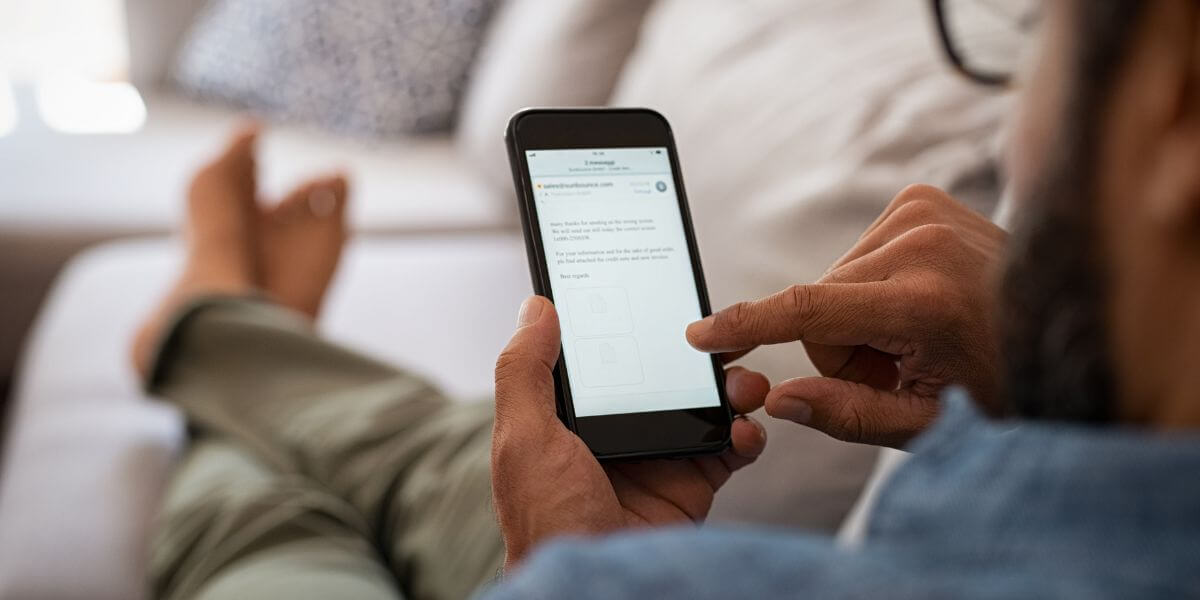
Can You Keep Your ISP Email After Cancelling Service?
It depends entirely on which company you’re with, and the rules aren’t always intuitive. Some providers let former customers keep their address indefinitely at no cost. Others cut off access within weeks. A few have even moved their legacy email systems onto Yahoo Mail behind the scenes, which changes the retention rules without most customers noticing.
| Provider | Email Domain(s) | Policy After Cancellation | Grace Period | Cost to Retain |
| Xfinity / Comcast | @comcast.net | Stays active if you log in before and after disconnecting | Log in within 90 days before cancelling, then periodically afterward | Free |
| Spectrum / Charter | @charter.net, @rr.com, @twc.com | Access ends after cancellation | 60 days to back up messages | Free during grace period only |
| AT&T | @att.net, @sbcglobal.net | Kept indefinitely, no action required | None, as long as the account is in good standing | Free |
| Cox | @cox.net | Retained if migrated to Yahoo Mail; otherwise deleted | 90 days pre-migration; indefinite once on Yahoo | Free |
| Verizon | @verizon.net | Migrated to AOL; a Verizon cancellation today doesn’t touch the AOL-hosted mailbox | N/A (migration already completed) | Free (via AOL) |
| Optimum / Altice | @optonline.net | Closed at cancellation | None | Cannot be retained |
Policies like these shift as providers update their systems, and obviously, this isn’t an exhaustive list of every provider out there. So, confirm current terms with your provider before you cancel.
If you want to keep Comcast email after cancelling, the process is more forgiving than most people expect. Xfinity lets former customers keep Xfinity email after cancelling as long as they sign in to the Xfinity Email website in the 90 days before disconnecting service, then log in again periodically afterward [2]. There’s a wrinkle worth knowing, though: comcast.net email accounts are being gradually moved to the Yahoo Mail platform through 2026, so a comcast.net email keep strategy today may mean logging into Yahoo rather than Xfinity’s own portal the next time you check [3].
If you’re hoping to keep Spectrum email after switching, the picture is less favorable. Legacy Roadrunner addresses (@rr.com, @twc.com) and current @charter.net accounts are treated as a perk of active service rather than a standalone product, so roadrunner email after Spectrum cancellation typically stops working after a roughly 60-day window to export your messages [5]. If you’re on Spectrum, plan to migrate before you call to cancel, not after.
Not every provider treats ISP email after cancelling service the same way. AT&T is the most customer-friendly of the major players. @att.net and legacy @sbcglobal.net addresses stay active indefinitely with no extra steps, as long as the account has no outstanding balance [6].
Cox is mid-transition: cox.net addresses already moved to the Yahoo Mail platform survive cancellation, but anyone still on Cox’s original system has roughly 90 days to back up their inbox before it disappears [4].
Verizon settled this question years ago by retiring verizon.net entirely and folding surviving addresses into AOL [7]. Optimum is the least forgiving of the group: @optonline.net addresses close as soon as service ends, with no grace period [8].
If you’re trying to figure out how to keep cable email address access from a legacy cable-bundle account like Spectrum, Cox, or Optimum, the safest assumption is that you won’t be able to indefinitely. Migrate before you cancel to have that peace of mind that your email is good to go.

How Do You Transfer ISP Email to a Free Account?
Whether your provider lets you keep the address or not, moving your primary email off an ISP domain and onto an independent platform is the only permanent fix. Here’s how to transfer ISP email without losing history or contacts:
A free email replacing your ISP email approach is even worth doing even if you’re happy with your current provider. An independent inbox means you’ll never face this problem again, no matter how many times you switch internet providers down the line.

How Do I Compare Internet Providers Before I Switch?
Once your inbox is no longer tied to a single company, switching becomes a much simpler decision. Then, it just becomes about price, speed, and reliability. That’s where it helps to compare internet providers side by side rather than guessing based on ads. A proper internet comparison looks at more than the advertised rate, such as contract length, equipment fees, and what happens to your bill after the promotional period ends all matter as much as internet prices on their own.
If you’re not sure what’s available, start by checking the best internet in your area. Availability varies block by block, especially for fiber. From there, you can compare internet plans across the best internet providers serving your address and choose based on what actually matters to you, free from the worry that switching means losing your email history along with your old bill.
Enter your zip code below to find out what ISPs are available in your area.
61% of people overpay for their internet.
Are you one of them?
Unlock exclusive offers in your area!
Call now
[tel]Enter zip code
Sometimes. Comcast/Xfinity and AT&T both allow former customers to keep their email addresses under certain conditions, while Spectrum, Cox (pre-Yahoo migration), and Optimum generally cut off access within weeks of cancellation. Check your specific provider’s policy before you cancel, since terms change over time.
As long as you log into the Xfinity Email website in the 90 days before disconnecting and continue logging in periodically afterward, your comcast.net address stays active. Comcast.net accounts are also being migrated to Yahoo Mail through 2026, so watch for a migration notice in your inbox.
Create a free account, set up forwarding from your old address while you still have access, export your contacts, and update your login email with important accounts like your bank and employer. Give yourself 60–90 days before fully cancelling service.
For most people, no. A one-time migration to a free, provider-independent email account solves the problem permanently, while paying to retain an ISP address just delays the same work — and keeps you tied to a company you already wanted to leave.
[1] Federal Communications Commission. “Internet Service: Would You Switch — and Why?"
[2] Xfinity Support. “Use Xfinity Email if you’ve disconnected your service."
[3] Xfinity Support. “Upgrade your comcast.net email experience to Yahoo Mail."
[4] Cox Community. “Keep @cox.net email address when cancelling internet service."
[5] BitRecover. “Is Roadrunner Email Ending Its Service? Read Expert’s Guide."
[6] Android Authority. “Can you leave AT&T and keep your legacy email account?"
[7] Verizon Support. “Verizon Email Retirement."
[8] JustAnswer. “Optimum Internet and Email: FAQs on Service Cancellation and Email Retention."
Do you want to leave a review for AT&T Internet?
About the author

Infinity Sales Group, LLC