
Lower your internet bill
61% of people overpay for their internet.
Are you one of them?
Unlock exclusive offers in your area!
Call now
[tel]Enter zip code




















 Use code: KALA & receive a $50 gift card with your order!
 Are you happy with your Internet service?

About the author
What is the best internet for a smart home? If you have started stacking Ring doorbells, Nest cameras, smart locks, and a small army of Matter-compatible bulbs, you’ve probably noticed something odd. Your internet plan that looked fast on paper is slooooooowing down. Most articles about smart homes tell you to buy a better router, but that isn’t always the best advice.
The bottleneck in a heavily loaded smart home is almost never the router. It’s the internet connection coming into your house, specifically your upload speed. A home with 10 security cameras streaming 4K footage to the cloud is pushing 40 to 100 Mbps of upload traffic continuously, 24 hours a day. A typical cable plan caps upload speeds around 35 Mbps. That means your cameras are already competing with every video call, cloud backup, and smart display in the house for a lane that was never wide enough to begin with.
Fiber internet solves this because it delivers symmetrical speeds. That’s the thesis this whole article builds on, so keep it in mind as we get into specific numbers, devices, and provider recommendations.
61% of people overpay for their internet.
Are you one of them?
Unlock exclusive offers in your area!
Call now
[tel]Enter zip code
The honest answer depends on how many cameras you run and how many devices are pulling data at once. Break your smart home into three tiers based on how much bandwidth each device type uses.
These are the devices making the massive demands on your upload speed.
One quick note that can save you money: cameras with local NVR (network video recorder) storage use zero internet upload, since the footage never leaves your house. If you are camera-heavy and want to ease the load on your internet plan, local storage is worth considering for some of your cameras.
Individually, these are not huge, but they add up fast in a house with several of them running at once:
Use this table as a rough starting point for how much upload bandwidth your household needs.
| Smart home tier | Devices | Cameras | Recommended upload speed |
| Starter smart home | 5 devices | 2 cameras | Around 25 Mbps |
| Mid-tier smart home | 20 devices | 5 cameras | 50 to 80 Mbps |
| Serious smart home | 50+ devices | 10+ cameras | 100 to 200 Mbps |
Look at that middle column again. A mid-tier smart home with just 5 cameras already needs more upload speed than most cable plans provide. Anything past the starter tier is where cable’s roughly 35 Mbps upload ceiling becomes a constraint.

Matter & Thread devices
Probably not as much as you think. Matter is a unified smart home standard that lets devices from different manufacturers, like a Google-compatible bulb and an Amazon-compatible sensor, work together on the same network.
Many Matter devices use Thread, a low-power mesh networking protocol, to communicate with each other and with a border router (for example, an Apple HomePod mini, Google Nest Hub, or Amazon Echo device with Thread support) without needing their own individual WiFi connection. That means a home with 30 Thread sensors and bulbs might generate the internet traffic of just a couple of border routers, not 30 separate cloud connections.
This is good news for anyone worried that a house full of Matter gadgets automatically means a house full of bandwidth hogs. It doesn’t work that way. Some Matter devices do connect over WiFi instead of Thread, and those do generate more internet traffic each. But the bulbs, switches, and sensors doing the heavy lifting behind the scenes are usually the efficient kind.
Almost certainly, yes. Most modern WiFi 6 and WiFi 6E routers can handle 50 to 100 or more simultaneous connections without any slowdown. The router device limit is almost never the bottleneck in a smart home in 2026.
What degrades with 50+ devices is your internet connection’s total bandwidth getting divided among more users and devices, not your router losing the ability to manage those connections. If you’re shopping for a router, look for WiFi 6 or 6E with support for a dedicated IoT network, meaning a separate SSID just for your low-bandwidth devices. This keeps your bulbs and sensors from cluttering the same network your laptop and gaming console rely on, and it’s a smart security move too, since it isolates lower-security smart home devices from your primary devices.
Here’s how the major connection types stack up once you factor in upload speed, data caps, and reliability for a device-heavy household.
Providers like AT&T Fiber, Verizon Fios, Google Fiber, Frontier Fiber, and Fidium Fiber all deliver symmetrical speeds, typically ranging from 500 Mbps up to 5 Gbps. Fiber plans generally come with no data caps and no annual contracts. A 500 Mbps fiber plan provides 500 Mbps in both directions, which comfortably supports 10 cameras and 50 or more devices running simultaneously.
Fiber is the only connection type that scales with a growing smart home without eventually hitting an upload wall. If you’re serious about cameras, automation, and adding devices over time, this is our top recommendation.
Providers like Spectrum, Xfinity, and Cox offer download speeds up to 1 Gbps or more, which is more than enough for streaming and downloads. The limiting factor is upload, typically 35 to 50 Mbps on most plans, which becomes a real constraint once you’re running 5 or more cloud-recording cameras.
T-Mobile Home Internet and Verizon 5G Home offer unlimited data, no-contract plans, and typical download speeds in the 100-400 Mbps range, depending on your local coverage. Upload speeds of 30 to 80 Mbps often beat cable, but they vary more with distance from the tower and local congestion.
One thing to flag: 5G home internet typically runs behind CGNAT (carrier-grade network address translation), which can cause issues with remote camera access and any smart home app that relies on port forwarding. It’s fine for 1 to 2 cameras and a moderate smart-home load, but it gets strained beyond 5 cameras.
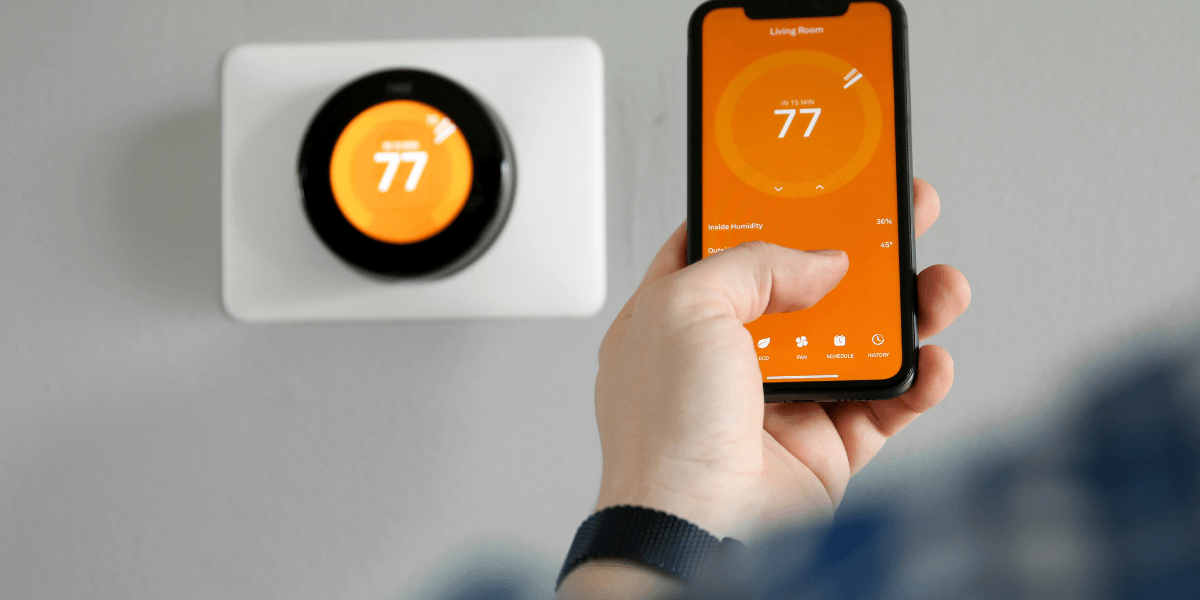
Data caps are an easy way to get an unexpected bill. A home with 5 security cameras recording 1080p footage to the cloud around the clock can generate 500 to 800 GB of upload data per month, before counting anything else your household does online. A cap that sounds generous on paper can get eaten up fast once cameras are running nonstop.
If you’re building out a camera-heavy smart home, look specifically for unlimited data. Spectrum, AT&T Fiber, T-Mobile Home Internet, and Verizon 5G Home all currently offer no data caps.
Of all the upgrades you could make to your smart home, from a new hub to a fancier router, switching to fiber internet is the highest-impact decision available to you. It solves the upload bottleneck.
Enter your zip code below to see which fiber and unlimited-data providers are available at your address.
61% of people overpay for their internet.
Are you one of them?
Unlock exclusive offers in your area!
Call now
[tel]Enter zip code
How much upload speed do I need for security cameras?
Each 4K camera recording to the cloud needs roughly 8 to 25 Mbps of upload, and 1080p cameras need 2 to 5 Mbps. A home with 5 cameras should plan for at least 50 Mbps of upload capacity to avoid competing traffic slowing everything down.
Will 50 smart home devices overwhelm my router?
No. Most WiFi 6 and WiFi 6E routers built in the past few years handle 50 to 100 or more connected devices without a problem. The strain shows up in your internet connection’s shared bandwidth, not in your router’s ability to manage the devices.
Is fiber internet worth it just for a smart home?
If you have more than a handful of cameras or plan to keep adding devices, yes. Fiber’s upload speed removes the bottleneck that cable and fixed wireless eventually hit, and most fiber plans come without data caps, which matters for cameras that record continuously.
[1] Internetproviders.ai “Xfinity Data Caps 2026: Limits, $10 Fees + How to Avoid"
[2] Internetproviders.ai “AT&T Fiber Guide: Plans, Pricing, Coverage & Review for 2026"
[3] Internetproviders.ai “5G Home Internet Guide: Is It Worth It?"
[4] Reviews.org “5G Speeds in 2026: Which Carrier Is the Fastest?"
Do you want to leave a review for AT&T Internet?
About the author

Infinity Sales Group, LLC