
Lower your internet bill
61% of people overpay for their internet.
Are you one of them?
Unlock exclusive offers in your area!
Call now
[tel]Enter zip code




















 Use code: KALA & receive a $50 gift card with your order!
 Are you happy with your Internet service?

About the author
The internet is a global network of connected networks and servers that data travels through. WiFi is the wireless signal your router broadcasts inside your home to connect your devices to that network. So if you’ve wondered, “are WiFi and internet the same?" the answer is no. WiFi and internet are not the same thing. Knowing the difference makes troubleshooting and shopping much easier.
Think of the internet as the city water supply. WiFi is one way that water reaches the faucets inside your house (Ethernet cables are another). You need both for water to come out of the tap, and a problem with either one stops the flow.
Lower your internet bill 61% of people overpay for their internet. Call now Enter zip code
Are you one of them?
Unlock exclusive offers in your area!
The internet is a worldwide system of interconnected networks that lets devices exchange data using shared rules called protocols. Websites, email, streaming, and video calls all run on top of it.
It started as ARPANET, whose first node connected in September 1969. The modern internet took shape on January 1, 1983, when ARPANET switched to TCP/IP, the set of rules still used today [1]. So what is internet service? It’s what you pay an internet service provider (ISP) for: access to a network no one owns.

What Is WiFi?
WiFi is a wireless technology that uses radio signals to connect your devices to a local network, usually through a router. Its range is your home or building, not the world. An industry group, the Wi-Fi Alliance, formed in 1999 and adopted the Wi-Fi name in 2000 [2].
The technology has certainly gone through generations since. Wi-Fi 7, announced in January 2024, supports 320 MHz channels, twice as wide as the widest channels before it [3]. Faster WiFi doesn’t speed up your plan, though. Your internet plan sets the ceiling for what reaches your devices.
The WiFi vs internet difference comes down to scope and ownership. The internet is the global network you pay an ISP to reach. WiFi, however, is the local wireless network your router creates. This table shows the difference between WiFi and internet at a glance:
| Internet | WiFi | |
| What it is | Global network of networks | Wireless local network |
| Provided by | Your ISP | Your router |
| Range | Worldwide | Your home or building |
| Cost | Monthly plan | Included in a rented gateway or a one-time router purchase |
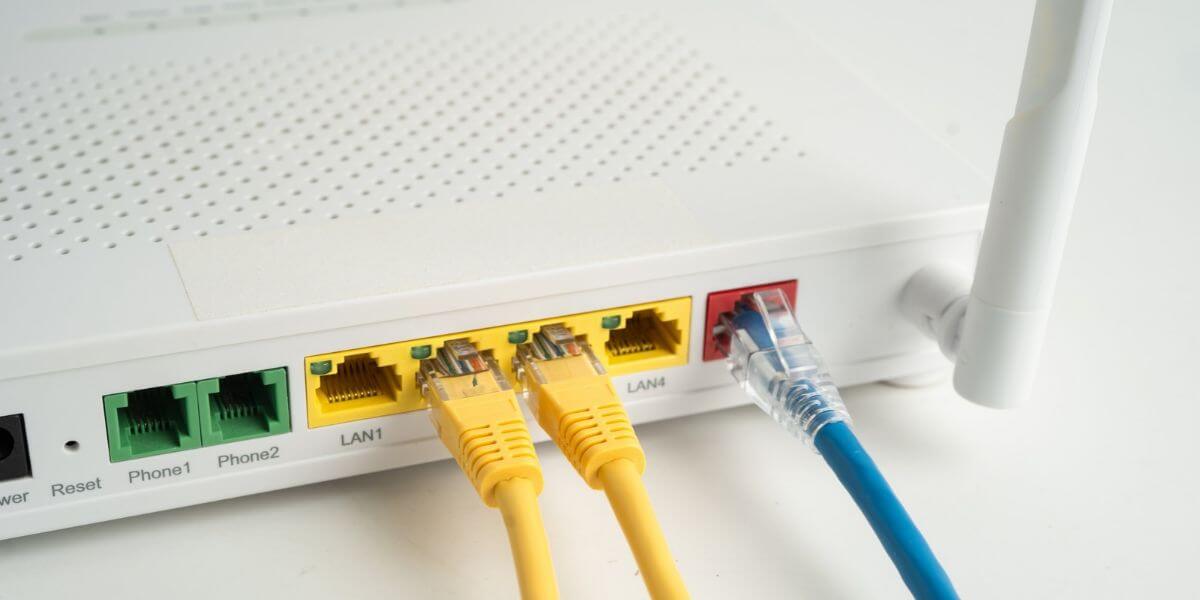
No. Technically, a router can broadcast a WiFi network even when it isn’t connected to the internet. That’s why WiFi names may still appear during an outage. Devices on the network can still talk to each other, so you can print to a wireless printer, cast to a TV, or control some smart-home gadgets locally. What you can’t do, though, is load websites, stream, or check email.
Why Do I Have WiFi but No Internet?
Most often, it’s because the WiFi link between your device and the router works, but the router has lost its connection to the internet. If you see WiFi connected no internet, try these steps in order:
Our guide covers WiFi connected but no internet fixes in more detail.
Yes! Plug a computer into the router with an Ethernet cable, or use your phone’s cellular data. Many people already do.
A Pew Research Center survey fielded February to June 2025 found 78% of U.S. adults have home broadband, and 16% own a smartphone but have no home broadband, so they rely on their phone’s data plan [4].
Cellular data is internet without WiFi. A mobile hotspot does the reverse and turns cellular data into a WiFi network.
The router vs modem difference is simple: the modem connects your home to your ISP, and the router creates the WiFi network inside your home and shares that connection with your devices. Here are the pieces you may see:
ISPs typically charge $10 to $15 per month to rent a modem, or $240 to $360 over two years, while buying your own often costs $100 to $200 upfront.

How Do I Find the Best Internet in My Area?
Once you know you’re shopping for internet, not WiFi, the next step is an internet comparison by address, because availability varies block by block. BroadbandNow’s March 2026 survey of 954 U.S. adults put the national average of Internet prices at $81.16 per month, from $65.43 in New Jersey to $109.88 in Alaska [6].
To compare internet providers and plans, follow these steps:
The best internet providers differ by address, so use our side-by-side provider comparison to narrow your options.
Find your internet by entering your ZIP code to see the best internet in your area.
Lower your internet bill 61% of people overpay for their internet. Call now Enter zip code
Are you one of them?
Unlock exclusive offers in your area!
Usually not. You pay your ISP for internet. WiFi comes from the router, which is either included in a rented gateway or a one-time purchase if you buy your own.
Distance, walls, and crowded channels weaken WiFi before it reaches your device. Your plan only sets the maximum speed. Try extending your WiFi signal or moving closer to the router.
No. Mobile data uses your carrier’s cellular network, while WiFi connects you to your home router.
Yes, unless your ISP gave you a gateway or fiber ONT. WiFi only shares a connection. A modem, gateway, or ONT is what brings the internet into your home.
[1] Internet Society. “A Brief History of the Internet.”
[2] Wi-Fi Alliance. “History.”
[3] Wi-Fi Alliance. “Wi-Fi Alliance introduces Wi-Fi CERTIFIED 7.”
[4] Pew Research Center. “Demographics of Internet and Home Broadband Usage in the United States.”
[5] T-Mobile. “What Is an ONT? Optical Network Terminals Explained.”
[6] Benton Institute for Broadband & Society. “The Cost of Staying Connected in 2026.”
Do you want to leave a review for AT&T Internet?
About the author

Infinity Sales Group, LLC