
Lower your internet bill
61% of people overpay for their internet.
Are you one of them?
Unlock exclusive offers in your area!
Call now
[tel]Enter zip code
 Use code: KALA & receive a $50 gift card with your order!
 Are you happy with your Internet service?

About the author
Someone’s watching TikTok in the living room. Someone else is uploading an Instagram Reel from their bedroom. A third person just hit “Go Live." If your Wi-Fi is struggling, it’s probably not your router. It could very well be your plan. Knowing exactly how much speed each of those activities actually needs can save you from either overpaying or under-performing.
So, then how much internet speed do you need for social media?
The short answer: not much… unless you’re posting video. Text and image scrolling works fine on connections as slow as 5 Mbps. But as video has taken over every major platform, the bar has risen considerably. TikTok, Instagram Reels, YouTube Shorts, and Facebook Reels now dominate feeds, and streaming that content smoothly requires significantly more bandwidth. If you’re a content creator or influencer posting regularly, your upload speed for social media matters just as much as your download speed — a distinction most people don’t consider until something breaks.
Social media has evolved dramatically over the past decade. Early feeds were mostly text and photos; today, video dominates every major platform. TikTok — which surpassed 1 billion monthly active users by 2022 and sparked copycat formats on Instagram, YouTube, and Facebook — fundamentally changed what “using social media" means for your bandwidth.
61% of people overpay for their internet. Call now Enter zip codeLower your internet bill
Are you one of them?
Unlock exclusive offers in your area!
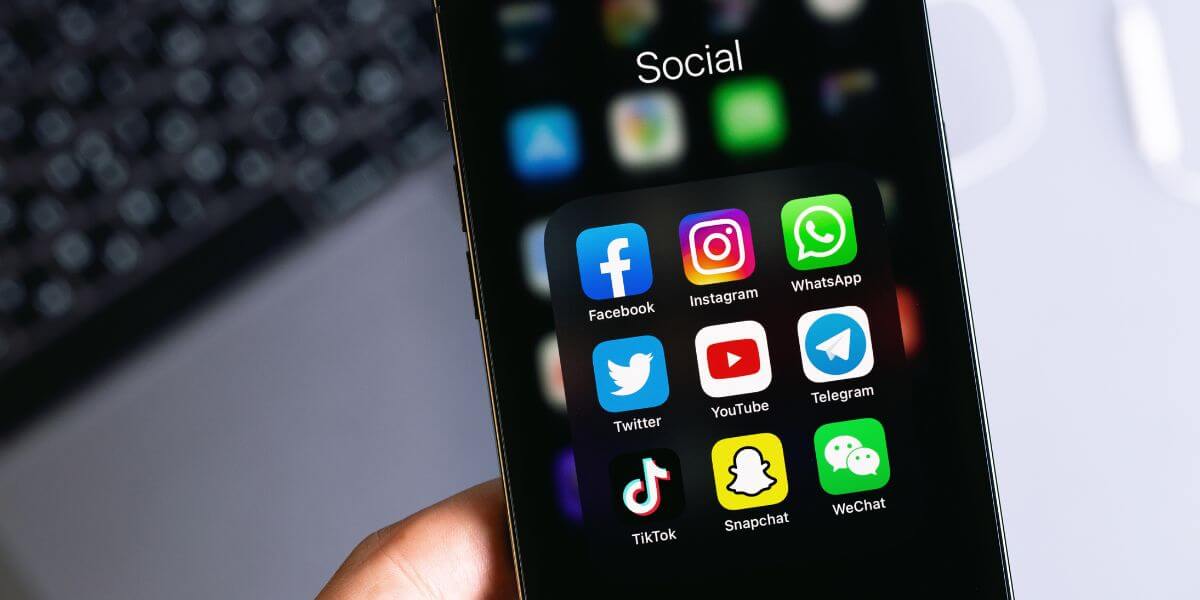
What Are the Speed Requirements by Activity?
The best way to figure out how much internet speed you need for social media is to start with what you actually do. A casual scroller and a full-time influencer have almost nothing in common when it comes to bandwidth needs.
| Social Media Activity | Recommended Minimum Speed [1] |
| Scrolling text and images | 5 Mbps |
| Watching video (single device) | 10 Mbps |
| Posting images (single device) | 10 Mbps |
| Posting video (single device) | 25 Mbps |
| Multiple devices posting simultaneously (2–4) | 50 Mbps |
| Multiple devices posting simultaneously (5–10) | 100–300 Mbps |
| Hosting a livestream | 300–500 Mbps |
One important note on multi-device households is that speeds are cumulative. If two people are watching TikTok (10 Mbps each) while a third is uploading a video (25 Mbps), you’re already at 45 Mbps before accounting for background activity. A 100 Mbps plan gives most households comfortable headroom.
Different platforms have different demands. Here’s a breakdown of the apps your readers are actually using:
TikTok — The internet speed for TikTok needs to support continuous short-form video autoplay. Aim for at least 10 Mbps for smooth viewing and 25 Mbps if you upload regularly. In crowded venues like concerts or stadiums, 5G mobile speeds are especially valuable since congested 4G networks can cause stuttering and failed uploads [2].
Instagram — The internet speed for Instagram varies by use. Browsing feeds or Stories needs around 10 Mbps. Uploading Reels benefits from 25 Mbps or more. Going Live pushes that to 50 Mbps or higher for stable stream quality [3].
YouTube — Viewing 1080p HD requires roughly 5–10 Mbps. Uploading long-form video is where creators feel the squeeze: a 10-minute 1080p video can easily exceed 1 GB, and slow upload speeds mean long waits and failed transfers [4].
Facebook — Image and text browsing requires just 5 Mbps, but Facebook Reels and Facebook Live have the same demands as their Instagram equivalents.
X (formerly Twitter) — Primarily text-based; 5–10 Mbps covers general use, while posting video clips benefits from 25 Mbps.
Snapchat — Snaps and Stories are data-light, but video Snaps and calls require a stable 10–25 Mbps connection.

Why Does Upload Speed Matter So Much for Social Media?
Most people only think about download speed, which is the number that determines how fast content loads on your screen. But upload speed for social media is equally critical for anyone who posts regularly, and it’s often where home internet plans fall short.
Every time you post a photo, share a video, send a DM, go Live, or upload a Story, you’re sending data to the internet. That’s your upload speed at work. Most cable plans offer upload speeds of just 10–50 Mbps even on 500 Mbps download tiers. For casual users, that’s fine. For active creators, it can mean failed uploads, buffering livestreams, and long waits after hitting “post."
Internet speed for content creators and the best internet for influencers point to the same answer: fiber. Unlike cable, fiber delivers symmetrical speeds where your upload matches your download. On a 1 Gbps fiber plan, large video uploads become nearly instantaneous.
Choosing the best internet speed for social media really depends on your usage level:
When you’re ready to upgrade, searching for the best internet in your area and doing a quick internet provider comparison of available plans is the fastest way to find the right fit. Internet prices vary significantly by provider and location, so it’s worth comparing before committing.
If you post primarily from your phone, your mobile network matters just as much as your home internet. According to Opensignal’s 2023 Mobile Network Experience Report [6], real-world 5G speeds significantly outpace 4G across all major U.S. carriers:
| Carrier | Avg. 4G Speed | Avg. 5G Speed |
| T-Mobile | 97.1 Mbps | 195.5 Mbps |
| Verizon | 34.3 Mbps | 96.3 Mbps |
| AT&T | 40.1 Mbps | 80.0 Mbps |
A 4G connection handles everyday social scrolling just fine. But 5G becomes particularly valuable when creating content in high-density locations (music festivals, stadiums, conferences) where network congestion can make even sending a DM feel slow. For creators who go Live on location, 5G is close to essential.

How do I find the best internet providers for social media near me?
Use a zip code tool to search and compare internet providers at your address. Look beyond headline download speeds, and pay attention to upload speeds and internet prices over the full contract term.
CompareInternet.com lets you run a quick internet comparison to find the best internet providers and current plans available to you. Enter your zip code to see what may be available in your area.
61% of people overpay for their internet. Call now Enter zip codeLower your internet bill
Are you one of them?
Unlock exclusive offers in your area!
For basic text and image browsing on platforms like Facebook or X, 5 Mbps is enough. For video-heavy apps like TikTok or Instagram Reels, aim for at least 10 Mbps. If you’re posting video or going Live, 25–50 Mbps is the practical minimum.
The internet speed for content creators uploading video regularly should be at least 50–100 Mbps download with 20+ Mbps upload on cable — or a fiber connection with symmetrical speeds. Frequent livestreamers should target 300–500 Mbps.
The internet speed for livestreaming should be 300–500 Mbps, driven primarily by upload speed rather than download. Fiber’s symmetrical speeds make it the best option for consistent, professional-quality streams.
[1] Astound. “What internet speed do I need for streaming?”
[2] TikTok. “TikTok LIVE Studio Operation Manual.”
[3] Roamless. “How Much Data Does Instagram Use?”
Do you want to leave a review for AT&T Internet?
About the author

Infinity Sales Group, LLC