
Lower your internet bill
61% of people overpay for their internet.
Are you one of them?
Unlock exclusive offers in your area!
Call now
[tel]Enter zip code
Are you happy with your Internet service?

About the author
Staying online while traveling or working remotely has become the new norm. Whether you’re commuting, working from a coffee shop, or embarking on a road trip, having reliable internet access can make all the difference.
This is where Mi-Fi technology comes into play, offering a portable solution that keeps you connected wherever you go [1].
61% of people overpay for their internet.
Are you one of them?
Unlock exclusive offers in your area!
Call now
[tel]Enter zip code
What is Mi-Fi exactly? Mi-Fi is a portable wireless router that creates a personal Wi-Fi hotspot using cellular data networks. The term originated in 2009 when Novatel Wireless introduced the first MiFi 2200 device [2], changing how people accessed the internet on the go. Since then, “Mi-Fi" has become a generic term (similar to how “Kleenex" basically represents all tissues) used to describe any portable hotspot device that delivers wireless internet connectivity.
A Mi-Fi device works by connecting to cellular towers (4G LTE or 5G networks) and converting that cellular signal into a Wi-Fi network that multiple devices can join. Think of it as a miniature, battery-powered version of your home router, but one that fits in your pocket and works anywhere with cell service.
To use Mi-Fi internet, you need three basic components: the portable router itself, a data plan from a cellular carrier, and the devices you want to connect (smartphones, tablets, laptops). The device contains a SIM card linked to your data plan, which authenticates your connection to the carrier’s network. Once activated, it broadcasts a secure Wi-Fi signal that your devices can connect to just like any other wireless network.
Mi-Fi vs. Wi-Fi: Understanding the Difference
While the terms sound similar, Mi-Fi and Wi-Fi serve different purposes. Wi-Fi is the technology that enables wireless internet connections in general, whether from your home router, a public hotspot, or a portable device. Mi-Fi, on the other hand, specifically refers to portable devices that create mobile Wi-Fi networks using cellular data.
Your home Wi-Fi router connects to a fixed internet source (cable, fiber, or DSL) and broadcasts that connection wirelessly throughout your space. A Mi-Fi device, however, isn’t tethered to any fixed location. It uses cellular networks to create internet access wherever those networks are available, making it ideal for travelers, remote workers, and anyone needing backup internet connectivity.
Mi-Fi internet speeds have improved dramatically over the past decade. Early devices using 3G networks delivered speeds of just 1-3 Mbps. Today’s 4G LTE Mi-Fi devices typically offer download speeds between 30-80 Mbps, while the latest 5G-enabled hotspots can reach speeds of 100-1,000 Mbps in optimal conditions [3].
According to Opensignal’s 2023 Mobile Network Experience Report, [4] average 5G download speeds vary by carrier:
However, actual speeds depend on several factors including your location, network congestion, weather conditions, and the specific device you’re using. Highly-populated areas with 5G infrastructure will generally deliver faster speeds than rural locations relying on 4G LTE networks. Hills, mountains, and building materials can also interfere with cellular signals, affecting your connection quality.
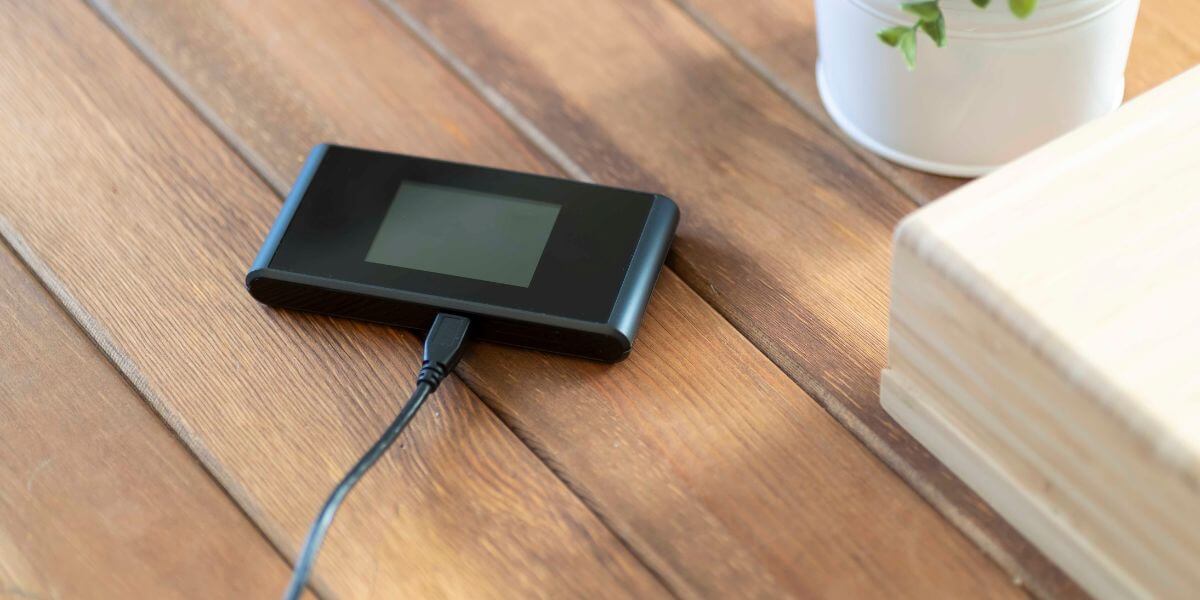
Popular Mi-Fi Devices and What They Offer
The Mi-Fi market has expanded significantly, with several manufacturers offering devices at various price points. Entry-level options like the Alcatel LINKZONE (around $100) provide basic 4G LTE connectivity for up to 16 devices, which is suitable for casual users who need occasional portable internet [5].
Mid-range devices offer better performance and features. The NETGEAR Nighthawk M1, priced around $340 [6], supports 4G LTE across dual-band frequencies (2.4GHz and 5GHz) and can connect up to 20 devices simultaneously. These models typically include larger batteries lasting 10-12 hours and LCD screens displaying connection information.
Premium 5G hotspots offer the cutting edge of portable internet technology. The Inseego MiFi X PRO 5G ($250) [7] and NETGEAR Nighthawk M7 5G ($500) [8] support the latest 5G networks, including millimeter-wave and C-band frequencies, and can connect 30+ devices. These professional-grade devices offer Wi-Fi 6 technology for faster, more efficient connections and are ideal for business users, content creators, or anyone requiring maximum performance.
Choosing the right data plan is as important as selecting the device itself. Mi-Fi data plans have evolved from expensive, limited offerings to more flexible options that suit various usage patterns.
T-Mobile offers affordable entry-level plans starting at $15/month for 5GB of data, with the option to purchase additional data passes as needed [9]. Their network provides excellent 5G coverage in urban areas.
Verizon provides three primary options: the Unlimited Ultimate plan ($80/month) includes Unlimited data plus 200 GB hotspot, the Unlimited Plus plan ($70/month) includes Unlimited data plus 30 GB hotspot, and the Pro plan ($55/month) offers Unlimited monthly data. Verizon’s network is particularly strong in rural areas [10].
AT&T’s Prepaid 100GB plan costs $90/month with autopay and provides substantial data for users who need consistent portable connectivity [11].
When you compare internet plans, consider your typical monthly data usage. Streaming video consumes 1-3 GB per hour, while video conferencing uses about 1.5-3 GB per hour. Email and web browsing are relatively light, using 10-50 MB per hour.
When searching for the best internet providers for mobile hotspot service, the major carriers each offer distinct advantages. Compare internet providers based on network coverage in your area, data plan flexibility, and 5G availability to find the best fit for your needs.
T-Mobile currently leads in 5G deployment and offers the fastest average speeds, making them excellent for city users. Verizon provides the most extensive overall coverage, particularly in rural America, while AT&T offers competitive pricing with their prepaid options.
To find the best internet in your area, check each carrier’s coverage map before purchasing a device or plan. Network performance varies significantly by location, and what works well in one city might be inadequate in another.
Mi-Fi devices excel in specific situations. They’re perfect for frequent travelers who need reliable internet access across different locations, remote workers without consistent Wi-Fi access, and as backup internet during home internet outages. Students and professionals attending conferences or working from temporary locations also benefit from personal, secure connections that don’t rely on potentially risky public Wi-Fi networks.
Rural residents might find Mi-Fi internet particularly valuable. While internet prices for mobile data are generally higher per megabyte than fixed home internet, they’re often more affordable than satellite internet and deliver faster speeds. For areas where cable and fiber aren’t available, a Mi-Fi device might provide the best internet connectivity option.
However, Mi-Fi has limitations. Data caps make it impractical for primary home internet if you stream video frequently or have multiple family members online simultaneously. The speeds, while improving, still don’t match fiber or cable internet for bandwidth-intensive tasks. Battery life, typically 8-12 hours, means you’ll need to recharge regularly during extended use.
Maximizing Your Mi-Fi Experience
To get the best performance from your Mi-Fi device, position it near windows when indoors, as building materials can block cellular signals. Keep the device’s firmware updated to ensure optimal performance and security. Enable password protection immediately and use WPA3 encryption if available to protect your connection from unauthorized access.
Monitor your data usage through your carrier’s app to avoid overage charges or throttling. Most carriers allow you to set usage alerts at various thresholds. When you’re not using the connection, power off the device to conserve battery life and prevent unnecessary data consumption from background app updates.
For business users managing multiple connections, consider devices that support dual-band broadcasting and prioritize traffic to ensure important applications receive adequate bandwidth during congested periods.
As 5G networks continue expanding nationwide, Mi-Fi devices will become increasingly powerful. Some carriers are exploring unlimited hotspot plans with minimal throttling, while device manufacturers are developing longer-lasting batteries and more efficient components. The line between mobile and fixed internet continues to blur, with some households already using 5G hotspots as their primary internet source.
When conducting an internet comparison for your needs, remember that technology continues evolving. Today’s premium 5G device might be tomorrow’s mid-range option, while data plan prices generally trend downward as networks mature and competition increases.
Finding the best internet providers for portable connectivity requires evaluating your specific needs: coverage area, budget, typical data usage, and whether you need occasional access or daily connectivity. By understanding what Mi-Fi technology offers, you can make an informed decision that keeps you connected wherever your life takes you.
While technically possible, Mi-Fi devices aren’t ideal as primary home internet for most households. Data caps (typically 30-100GB monthly) limit heavy usage like streaming video or online gaming. However, they work well for light internet users, temporary housing situations, or rural areas without other options. Some carriers offer dedicated home internet plans using similar technology that provides better value for fixed-location use.
Many Mi-Fi devices support international roaming, but you’ll need to check compatibility with foreign cellular networks and your carrier’s international data rates, which can be expensive ($10-15 per GB). Some manufacturers offer travel-specific routers compatible with local SIM cards from multiple countries—simply purchase a local data SIM upon arrival for more affordable rates. Always verify your device is unlocked before traveling if you plan to use international SIMs.
Connection capacity varies by device. Budget models support 5-10 devices, mid-range hotspots handle 15-20 connections, and premium units accommodate 30+ devices. However, more connected devices mean shared bandwidth—if your hotspot delivers 50 Mbps and 10 devices connect, each effectively gets 5 Mbps. For best performance, limit connections to devices actively being used.
While smartphones can create hotspots, dedicated Mi-Fi devices offer several advantages: longer battery life (your phone remains charged), faster speeds through better antennas, more simultaneous connections, and often lower costs if you need frequent hotspot use (avoiding phone plan hotspot restrictions). However, phone hotspots work fine for occasional use or emergency connectivity, and you’re already carrying your phone anyway.
[1] Verizon. “MiFi. Hotspot. What’s the real difference?”
[2] The Channel Pro Network. “Novatel Wireless MiFi 2200 Intelligent Mobile Hotspot Announced.”
[3] PatentPC. “5G Network Speeds vs. 4G: Performance Stats.”
[4] OpenSignal. “Mobile Network Experience Report.”
[5] Alcatel. “LINKZONE 4G LTE Cat4 Mobile Wi-Fi.”
[6] Amazon. “NETGEAR Nighthawk M1 4G LTE WiFi Mobile Hotspot (MR1100-100NAS).”
[7] Amazon. “Inseeg MiFi X Pro M3000 5G and 4G LTE Hotspot.”
[8] Amazon. “NETGEAR Nighthawk 5G Mobile Hotspot M7.”
[9] T-Mobile. “Connect by T-Mobile is powered by T-Mobile, America’s Best Network.”
[10] Verizon. “MyPlan.”
Do you want to leave a review for AT&T Internet?
About the author

Infinity Sales Group, LLC
5900 Broken Sound Pkwy NW,Boca Raton, FL 33487