
Lower your internet bill
61% of people overpay for their internet.
Are you one of them?
Unlock exclusive offers in your area!
Call now
[tel]Enter zip code
Are you happy with your Internet service?

About the author
Maybe you are a cattle rancher who loves the peace and solitude of rural America, but you’d like to be able to FaceTime your kids who are at college in the big city. Or maybe, you’re a digital nomad looking for an internet option so you can connect to the digital world from your private catamaran sailing the British Virgin Islands.
Both scenarios share one thing: satellite internet is the most likely connection option. So, if you find yourself in a rural or remote area, looking for satellite internet, you’ve probably heard of Elon Musk’s Starlink internet. Backed by SpaceX, Starlink has become one of the most talked-about internet providers in the country. It promises high-speed satellite internet almost anywhere on Earth, with speeds and latency that outperform traditional satellite options.
But how do you get Starlink internet? What does it cost, and is it the right choice for your home? Let’s discuss.
61% of people overpay for their internet.
Are you one of them?
Unlock exclusive offers in your area!
Call now
[tel]Enter zip code
Starlink is a satellite internet service operated by SpaceX, Elon Musk’s aerospace company. Unlike older satellite internet providers that rely on geostationary satellites orbiting roughly 22,000 miles above Earth, Starlink uses a constellation of low Earth orbit (LEO) satellites positioned at 340–1,200 miles above Earth. The result is a dramatic improvement in latency, typically 20–40 milliseconds, compared with 500–600 ms from traditional satellite providers, making it fast enough to support video calls, gaming, and HD streaming.
Residential download speeds generally range from 100–250 Mbps, making Starlink the fastest satellite internet service currently available. It’s particularly impactful for rural households where cable, fiber, or even reliable fixed wireless internet aren’t available (or if you’re on that catamaran!).

The first step is to verify whether Starlink is available at your address. Coverage continues to expand, but service isn’t yet universal.
To check availability, enter your zip code here. Our zip code lookup tool will indicate whether service is currently available or may become available soon. In some high-demand areas, Starlink charges a congestion fee ranging from $0 to $500, which is worth factoring in when comparing internet providers near you [1].
Starlink offers several plan tiers depending on your usage needs and location. It offers residential plans at 100 Mbps, 200 Mbps, and Residential “MAX”. Residential MAX users will experience maximum available speeds and top Residential network priority. All Residential plans offer plug & play setup, >99.9% uptime, weather resilience, unlimited data, and a 30-day trial. These plans are best for households.
Additionally, Starlink has Roam plans for RVs, nomads, campers, and remote workers (and if you decide to take that catamaran trip). These plans come in 100GB or Unlimited. Key features offered are plug & play setup, in-motion use, works anywhere in 150+ countries and territories, pause anytime with standby mode, and a 30-day trial.
There are also numerous business plan tier options. If interested in business plans available, contact us at 1-833-926-2709.
All plans are month-to-month with no long-term contracts, and Starlink offers a 30-day money-back guarantee on hardware if you’re not satisfied.
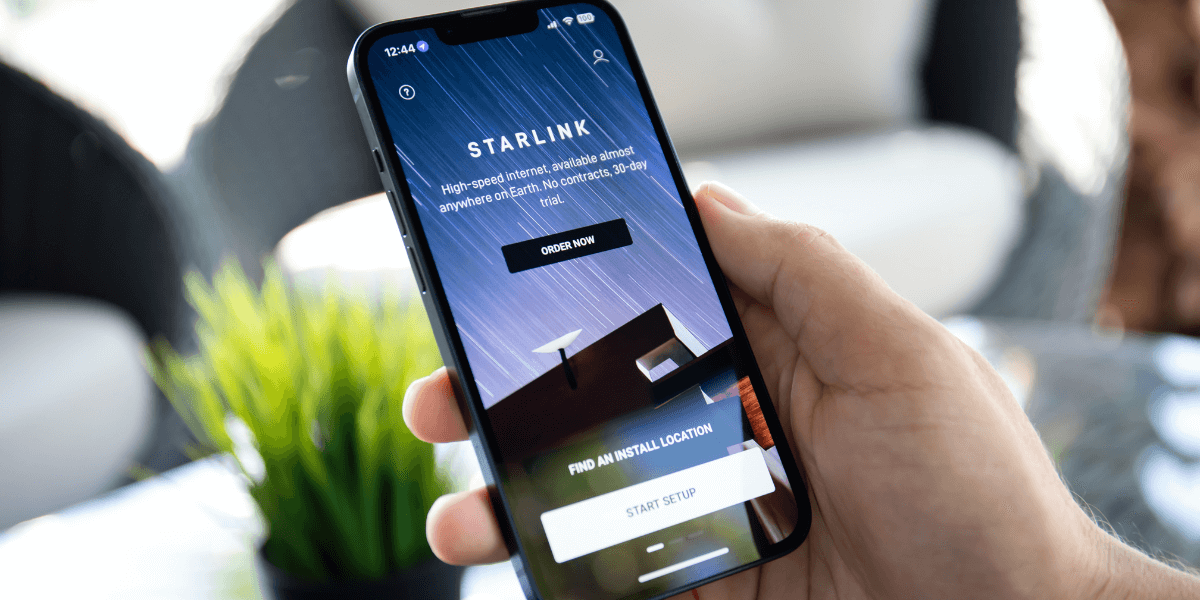
To use Starlink, you’ll need to purchase a hardware kit, which includes the satellite dish, a Wi-Fi router, a power supply, cables, and a mounting tripod. The standard kit is priced at $349 for most residential customers.
Once you complete your order, delivery times vary by location and current demand. Some customers receive their kit within days; others wait a few weeks.
One of Starlink’s selling points is that installation is designed to be DIY-friendly. The Starlink app (available on iOS and Android) guides you through the process and uses your phone’s camera to scan your surroundings and identify the best placement for the dish. You’ll want a clear, unobstructed view of the sky with no trees or buildings in the way.
The included tripod allows for ground-level setup to test your connection before committing to a permanent roof mount. Roof mounts and other mounting accessories are available if needed.
Setup typically takes less than an hour, and most users are online within minutes of plugging in the dish.
After installation, activation is straightforward. Open the Starlink app, follow the on-screen prompts, and your service will be live. From there, you can manage your account, monitor your data usage, check connection health, and contact support.
Starlink is an excellent solution for a specific customer segment: individuals in rural or underserved areas with few or no wired internet options. But it’s worth taking a moment to compare internet providers before making your decision.
If you live in a suburban or urban area, you likely have access to cable or fiber internet providers that offer faster speeds at a lower monthly cost. Fiber internet, for example, offers latency as low as 11–14 ms— lower than Starlink—and often comes with more affordable pricing and bundle options.
If you’re in a rural area, Starlink is almost certainly your best satellite option. Traditional satellite internet providers like HughesNet and Viasat offer nationwide coverage, but their latency is significantly higher (up to 600 ms), and their speeds and data caps are more restrictive.
If you move frequently, Starlink’s Roam plans offer the flexibility most internet providers can’t match—reliable broadband connectivity across the country, wherever your satellite has a clear view of the sky.
Starlink is a game-changer for rural internet access, but it may not be the most cost-effective option if you have strong alternatives available. The smartest move is to compare internet providers near you before committing.
Not sure if Starlink is the best option for your address, or curious what other internet providers are available in your area? Enter your zip code below to instantly compare internet providers near you, see current deals, and find the plan that best fits your needs and budget.
61% of people overpay for their internet.
Are you one of them?
Unlock exclusive offers in your area!
Call now
[tel]Enter zip code
Q: Is Elon Musk’s Starlink available everywhere in the United States?
Starlink covers most of the United States, but availability varies by location. Some areas are fully covered, while others may be on a waitlist as SpaceX continues launching additional satellites to expand capacity. The easiest way to confirm availability is to enter your address above. If you’re not in a covered area yet, check back soon; coverage is expanding regularly.
Q: Can I use Starlink if I already have another internet provider?
Yes. There are no restrictions on having multiple internet service providers. Some households choose to use Starlink as a backup connection or keep their existing provider while testing Starlink during the 30-day trial period. Once you’re satisfied with the service, you can cancel your old provider.
Q: How does Starlink compare to other internet providers on speed and price?
Starlink offers residential download speeds of 100–250 Mbps, which are competitive with many cable and fixed-wireless internet providers. However, it’s generally more expensive than cable or fiber options in urban and suburban areas. Where Starlink truly stands out is in rural locations where those alternatives don’t exist. If you’re comparing internet providers side by side, entering your zip code is the fastest way to see what’s available at your address and at what price.
[1] PCmag.com. “If You Live in These Two States, Prepare for a $500 Starlink Demand Charge."
Do you want to leave a review for AT&T Internet?
About the author

Infinity Sales Group, LLC
5900 Broken Sound Pkwy NW,Boca Raton, FL 33487