
Lower your internet bill
61% of people overpay for their internet.
Are you one of them?
Unlock exclusive offers in your area!
Call now
[tel]Enter zip code
Are you happy with your Internet service?

About the author
For gamers living in rural areas, the dream setup often feels frustratingly out of reach. You might have the perfect gaming rig, a comfortable chair, and hours of free time, but without reliable internet, online gaming remains a distant fantasy. If satellite is your only option, you’ve probably wondered: can you actually game on satellite internet?
The short answer has actually changed in recent years. While traditional satellite internet has long been considered incompatible with online gaming, new low-Earth orbit (LEO) satellite technology has improved what’s possible for rural gamers.
To understand gaming on satellite internet, you need to know why it’s been so problematic, because the issue isn’t actually about speed. Most online games only require 3-5 Mbps to function. Instead, the problem is latency.
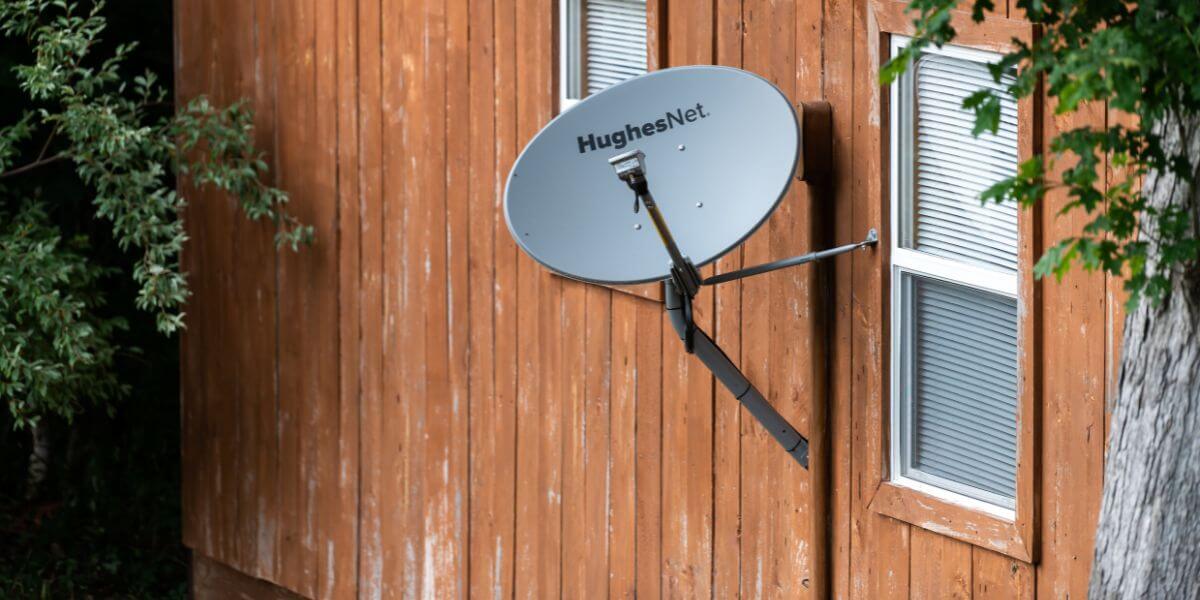
Traditional satellite providers like Viasat and Hughesnet use geostationary satellites positioned approximately 22,236 miles above Earth’s equator [1]. When you press a button on your controller, that signal needs to travel from your home to the satellite in space, then to the game server, and back again, covering roughly 89,000 miles round trip. This journey creates latency of 500-700 milliseconds, making fast-paced online gaming virtually impossible.
To put this in perspective, competitive gamers on fiber internet experience latency of 5-25 milliseconds [2]. Even DSL connections typically offer 50-100 milliseconds. That half-second delay from traditional satellite internet means your actions reach the server significantly after your opponents’, resulting in constant lag, unresponsive controls, and frequent disconnections.

What Starlink Brings to Rural Areas
Starlink for gaming offers a new breakthrough. Launched by SpaceX starting in 2020, Starlink uses thousands of low-Earth orbit satellites positioned just 340 miles above Earth. This dramatically shorter distance reduces round-trip travel to approximately 1,360 miles, which is big for latency.
Current Starlink users report latency between 25-50 milliseconds [3], which falls within playable range for most online games. While this isn’t quite as good as cable or fiber internet, it’s worlds apart from traditional satellite’s 500+ ms latency.
Starlink’s residential plans offer speeds of 100-400 Mbps with prices starting at $50 per month (plus a $349 equipment fee). The service has expanded rapidly across the United States, with availability in most rural areas as of 2026. For rural gamers who previously had no viable internet options, Starlink has opened doors to online gaming that were previously locked shut.
The type of games you can play depends heavily on which satellite internet for gaming you’re using.
With Starlink, you can reasonably play:
You may experience occasional lag spikes during peak usage times or weather events, but the experience is generally playable and enjoyable.
With traditional satellite (Viasat, Hughesnet), your options are much more limited:
These games work because they don’t require split-second reaction times. A half-second delay between turns goes relatively unnoticed, making them perfect for high-latency connections.
Beyond Latency: Other Gaming Challenges on Satellite
Most satellite internet providers impose strict data caps, typically 40-150 GB per month for standard plans. This creates a significant challenge since modern games often require 50-100 GB downloads, with some AAA titles exceeding 150 GB.
Traditional satellite providers offer “bonus zone" hours (usually 2 AM – 8 AM) when data doesn’t count against your cap. If you’re downloading games, schedule these downloads during off-peak hours to preserve your monthly data allowance.
One quick note, whenever possible, try to buy physical copies of games. While many games today still require substantial patches and updates, a physical disc can significantly reduce your download burden.
Satellite signals can be disrupted by heavy rain, snow, or dense cloud cover, a phenomenon known as “rain fade." While Starlink’s LEO satellites experience less weather interference than traditional geostationary satellites, you may still notice increased latency or brief disconnections during severe weather.
To minimize weather-related disruptions:
Satellite networks can experience congestion during peak evening hours when many users are online simultaneously. This affects both traditional satellite and Starlink, though Starlink typically handles congestion better due to its larger satellite constellation and higher capacity.
Before committing to satellite internet, explore whether other internet providers serve your area. Even if you live in a rural location, you might have access to:
To compare internet providers and find the best internet in your area, enter your zip code to see all available options. Even if you think satellite is your only choice, you might be surprised by alternatives that have recently expanded to your location.
When deciding whether satellite internet for gaming will work for you, consider these factors: Choose Starlink if:
Choose traditional satellite if:
Explore alternatives if:
The best internet providers for gaming typically offer fiber or cable connections, but these simply aren’t available in many rural areas. Use an internet comparison tool to evaluate all options in your location, comparing internet prices, speeds, and latency specifications.

The Future of Rural Gaming
Satellite internet continues evolving rapidly. Amazon’s Project Kuiper is expected to launch its LEO satellite constellation in 2026 [4], which will compete directly with Starlink and potentially offer rural gamers additional options. Other providers are also expanding their networks.
As these satellite constellations grow and technology improves, latency should continue decreasing while speeds increase. What was impossible five years ago (competitive online gaming on satellite internet) is now achievable. The next five years will likely bring even more improvements.
With Starlink and emerging competitors, online gaming is finally becoming accessible to gamers regardless of their location.
See which internet options are available in your area.
Yes, but it depends on the satellite service and game type. Starlink’s low-Earth orbit satellites provide latency of 25-60 ms, which allows most online games to be played effectively, including shooters and battle royale games. Traditional satellite services like Viasat and Hughesnet have 500+ ms latency, limiting you to turn-based games only. The key factor is latency, not speed—most games need just 3-5 Mbps but require low latency for responsive gameplay.
Starlink’s residential service costs $50-120 per month depending on your chosen plan, plus a one-time equipment fee of $349. The base residential plan offers 100 Mbps speeds with standard priority, while higher-tier plans provide faster speeds and priority network access during congestion. There are no contracts or data caps, making it more flexible than traditional satellite internet plans that typically impose strict monthly data limits.
The primary issue is extremely high latency (500-700 milliseconds) caused by the 22,236-mile distance to geostationary satellites. This creates noticeable lag that makes fast-paced games unplayable. Secondary issues include restrictive data caps (40-150 GB/month), weather interference that can disrupt your connection during storms, and network congestion during peak hours. These limitations make traditional satellite internet unsuitable for most modern online gaming experiences.
Yes, several alternatives often perform better than traditional satellite. DSL provides low latency (20-50 ms) wherever phone lines exist, though speeds are limited. 4G/5G home internet offers 50-300 Mbps with good latency when cell coverage is strong. Fixed wireless from local providers can deliver excellent gaming performance in areas they serve. Use a zip code search to compare internet plans and find the best internet providers available at your specific location—you may have more options than you realize.
[1] NOAA. “Geostationary Satellites.”
Do you want to leave a review for AT&T Internet?
About the author

Infinity Sales Group, LLC
5900 Broken Sound Pkwy NW,Boca Raton, FL 33487